Photos
How to watermark an ID copy before sending it
Sending a photo of your ID is sometimes unavoidable. A tiled for-use-only line with a date makes a leaked copy far less useful. You will add it in this tab.
A watermark lowers misuse; it is not a legal guarantee. Some offices still require an unmarked copy, so ask first. Nothing is uploaded.
Open ID Watermark & RedactContents
Ask what they need
Some only need your name and photo. Then you can black out the number and address.
Open watermark on cv.cm
Work stays in this tab. Front and back can go in together.
Open ID Watermark & RedactDrop the ID photo
Shoot it flat in even light. Keep the original.
Press For-use only and name the purpose
Replace [ORG] with the receiver and purpose, such as “for bank account opening only”. Keep today's date. The line tiles across the whole card, photo included.
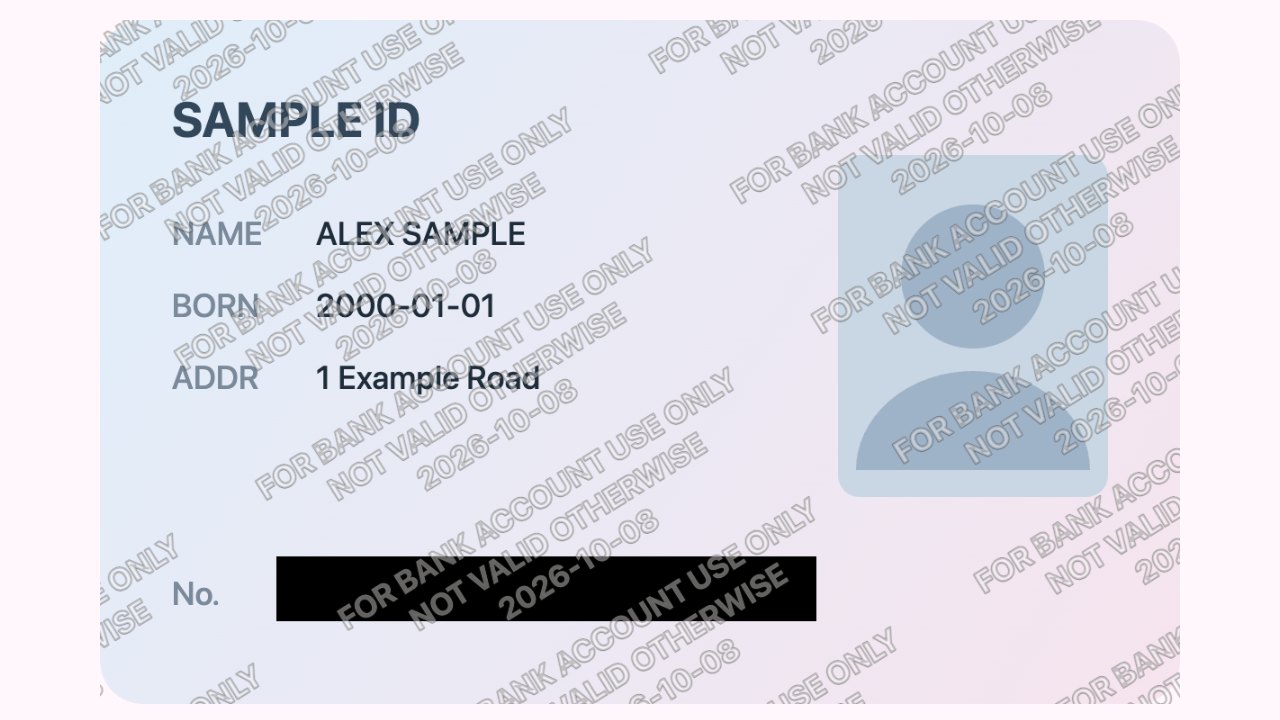
Purpose and date tiled across the whole card; the number is blacked out. Black out what is not needed
Open Redact, choose Black box, and drag over the fields they did not ask for.
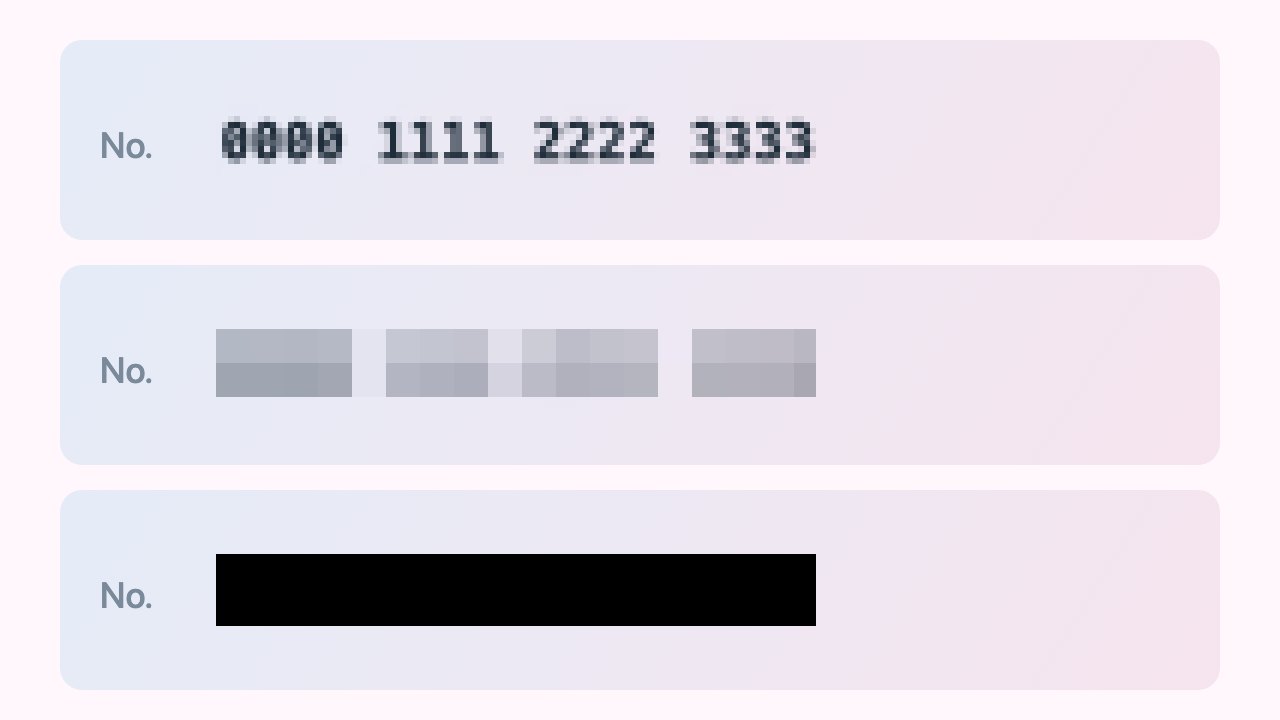
Fine mosaic leaves digits readable; a black box does not. Download, check at 100%, send
The mark should cross the portrait and stay readable while the name is still legible. Export removes EXIF location data.
FAQ
What should I write on an ID copy watermark?
Who it is for, what for, and the date, such as “For XX bank account opening only. Not valid otherwise. 2026-10-08”.
Should the watermark cover the photo?
Yes. Tile it so it crosses the portrait; a corner mark is easy to crop off.
Is a watermarked ID copy still valid?
A watermark deters misuse but is not a legal guarantee. Some counters require an unmarked copy; ask first.
Is my ID uploaded?
No. It stays in this tab, and closing it discards the file. Export also removes EXIF.
Can I hide the ID number too?
Yes. Use Redact with a black box on the fields the receiver did not ask for.