Developer tools
How to convert a Unix timestamp
A log, an API, or a database gave you a number. You will count digits, paste it in this tab, and read UTC and local time. Ten digits are seconds. Thirteen are milliseconds.
Open the timestamp tool when you have the number or an ISO date. Now fills the current second. Nothing is uploaded.
Open Timestamp converterContents
Count the digits
Ten digits are seconds. Thirteen are milliseconds. Sixteen are microseconds, and this page divides those by 1,000 once. If you already multiplied by 1,000, leave the original number alone.
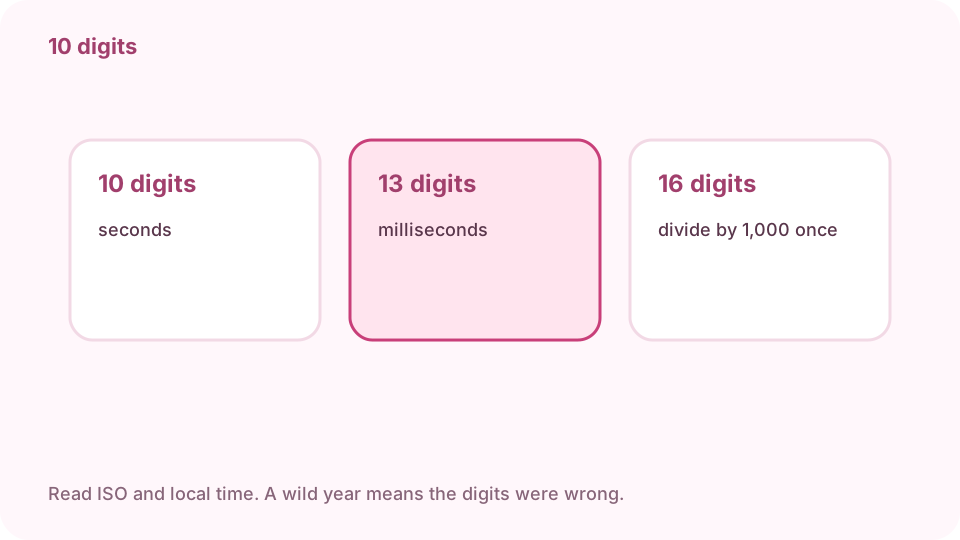
10 digits: seconds. 13 digits: milliseconds. 16 digits: microseconds, divided by 1,000 once. Open the timestamp tool on cv.cm
Conversion stays in this tab.
Open Timestamp converterPaste the number, an ISO date, or tap Now
1700000000 is seconds. 1700000000000 is milliseconds. 2023-11-14T22:13:20Z is a date. Now writes the current Unix second.
Read seconds, milliseconds, ISO, UTC, and local
ISO and the UTC line are the same instant in UTC. Local is that instant on this computer. Copy puts all of them on the clipboard.
A wild year means the digits were wrong
A year like 50000 means milliseconds were read as seconds, or you converted twice. A year in 1970 means the number was divided too far. Paste the original number again.
Read ISO and local time. A wild year means the digits were wrong. Copy the line the other system asked for
An API that wants seconds does not want the ISO string. A spreadsheet that wants a date does not want thirteen digits. Match the field.
FAQ
Can I convert a Unix timestamp free online?
Yes. cv.cm converts in this tab. Nothing is uploaded.
How do you tell seconds from milliseconds?
Ten digits are seconds. Thirteen are milliseconds. Sixteen are microseconds and are divided by 1,000 once.
What if the year is wrong?
You converted twice, or the digit count was wrong. Paste the original number. Leave a 13-digit value as it is.
Can I paste a date?
Yes. An ISO date such as 2023-11-14T22:13:20Z works. Now fills the current Unix second.
Is the value uploaded?
No. Closing the tab discards it.